
Documentation Index

Fetch the complete documentation index at: https://cometchat-22654f5b-release-flutter-v5-stable.mintlify.app/llms.txt

Use this file to discover all available pages before exploring further.

FieldValue
Package@cometchat/chat-uikit-angular
Required setupCometChatUIKit.init(UIKitSettings) then CometChatUIKit.login("UID") — must complete before rendering any component
Core featuresInstant Messaging, Media Sharing, Read Receipts, Typing Indicator, User Presence, Reactions, Mentions, Rich Text Formatting, Quoted Reply, Search, Threaded Conversations, Moderation, Report Message, Group Chat
Key componentsCometChatConversationsConversations, CometChatMessageListMessage List, CometChatMessageComposerMessage Composer, CometChatMessageHeaderMessage Header, CometChatUsersUsers, CometChatGroupsGroups, CometChatGroupMembersGroup Members
CSS class prefix.cometchat-
ThemingOverride CSS variables on .cometchat class. See Theming
The Angular UIKit components work together to deliver a complete chat experience. The sections below map each core feature to the components that implement it, so you can quickly find the right building block for any capability.

Instant Messaging

Real-time text messaging is at the heart of CometChat. Users can send and receive instant messages, enabling quick and efficient communication in both one-on-one and group conversations.
ComponentFunctionality
cometchat-message-composerProvides the input area where users write and send text messages.
cometchat-message-listRenders the chronological list of sent and received messages using text bubbles.

Media Sharing

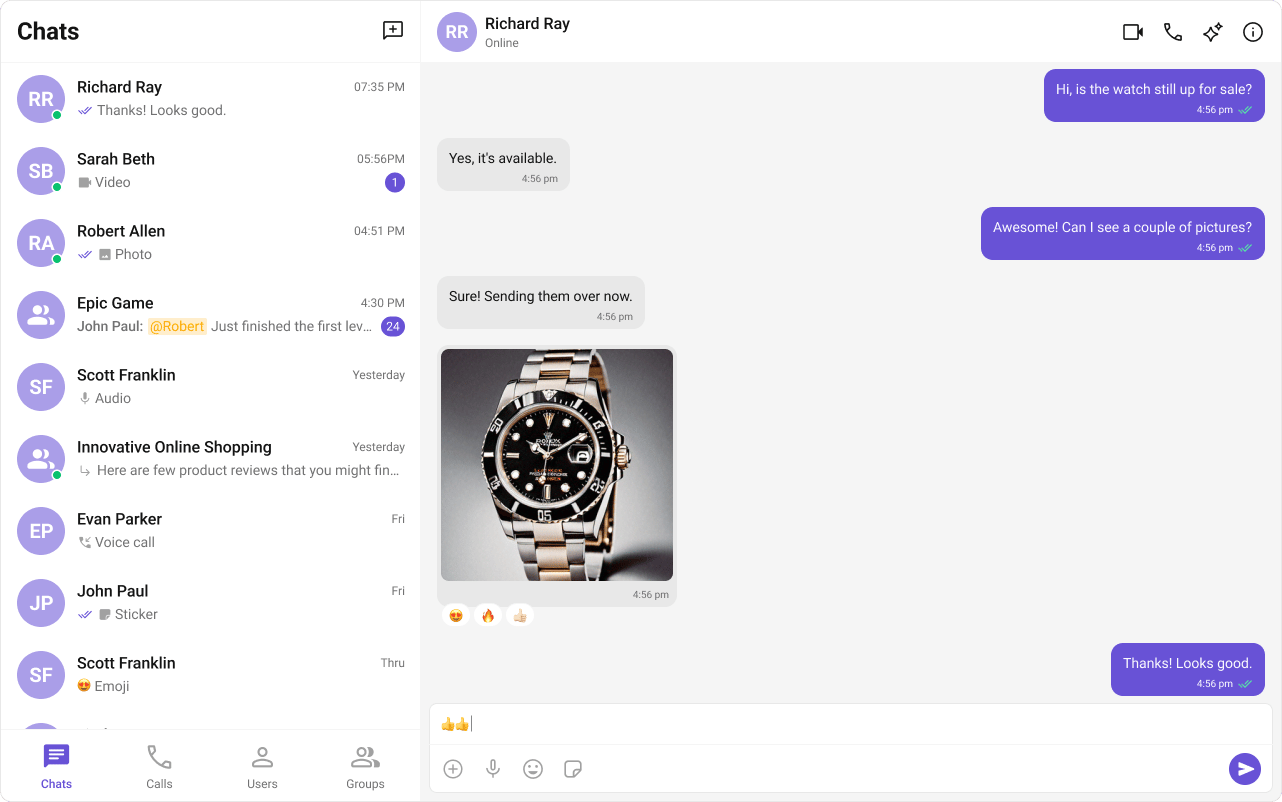
CometChat supports sharing images, videos, audio files, and documents within conversations.
ComponentFunctionality
cometchat-message-composerIncludes an ActionSheet that presents options for attaching and sharing media files.
cometchat-message-listRenders media message bubbles including Image, File, Audio, and Video bubbles.

Read Receipts

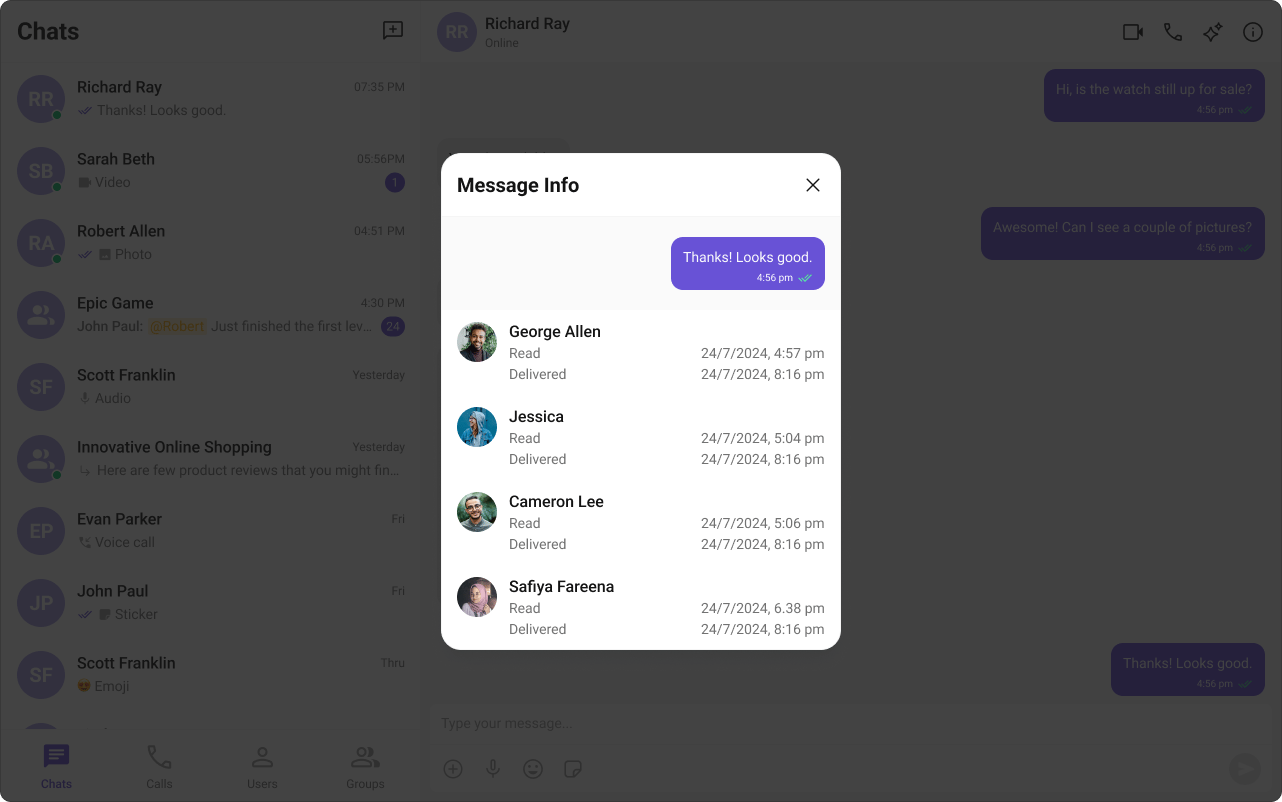
Read Receipts provide visibility into message status, letting users know when a message has been delivered and read. This brings clarity to communication and sets expectations about engagement.
ComponentFunctionality
cometchat-conversationsDisplays the delivery and read status of the last message in each conversation list item.
cometchat-message-listShows read receipt indicators on every message bubble, providing real-time status updates.
cometchat-message-informationGives the sender detailed insights into whether their message has been delivered and read.

Typing Indicator

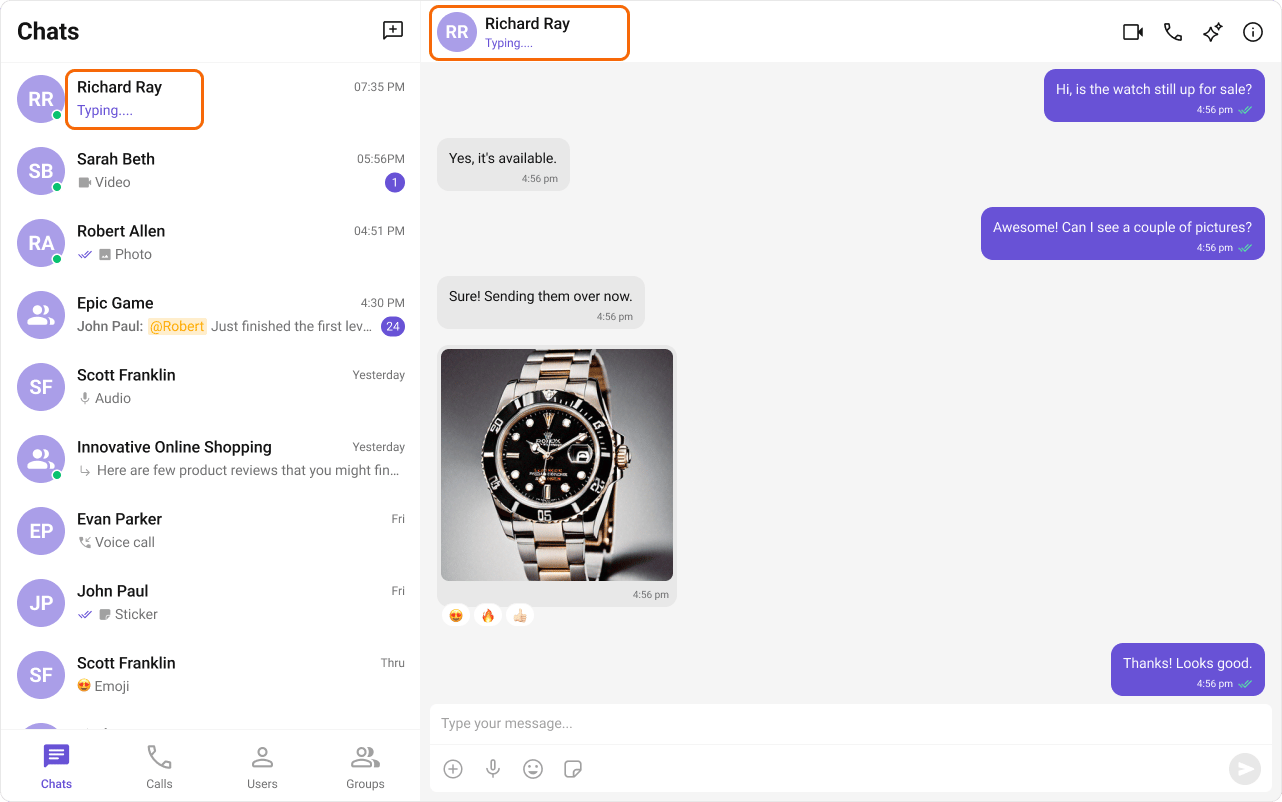
The Typing Indicator shows when a user is composing a response in real time, making conversations feel more natural and interactive.
ComponentFunctionality
cometchat-conversationsShows real-time typing status indicators in conversation list items for both one-on-one and group chats.
cometchat-message-headerDynamically updates to display a “typing…” status when a user or group member is composing a message.

User Presence

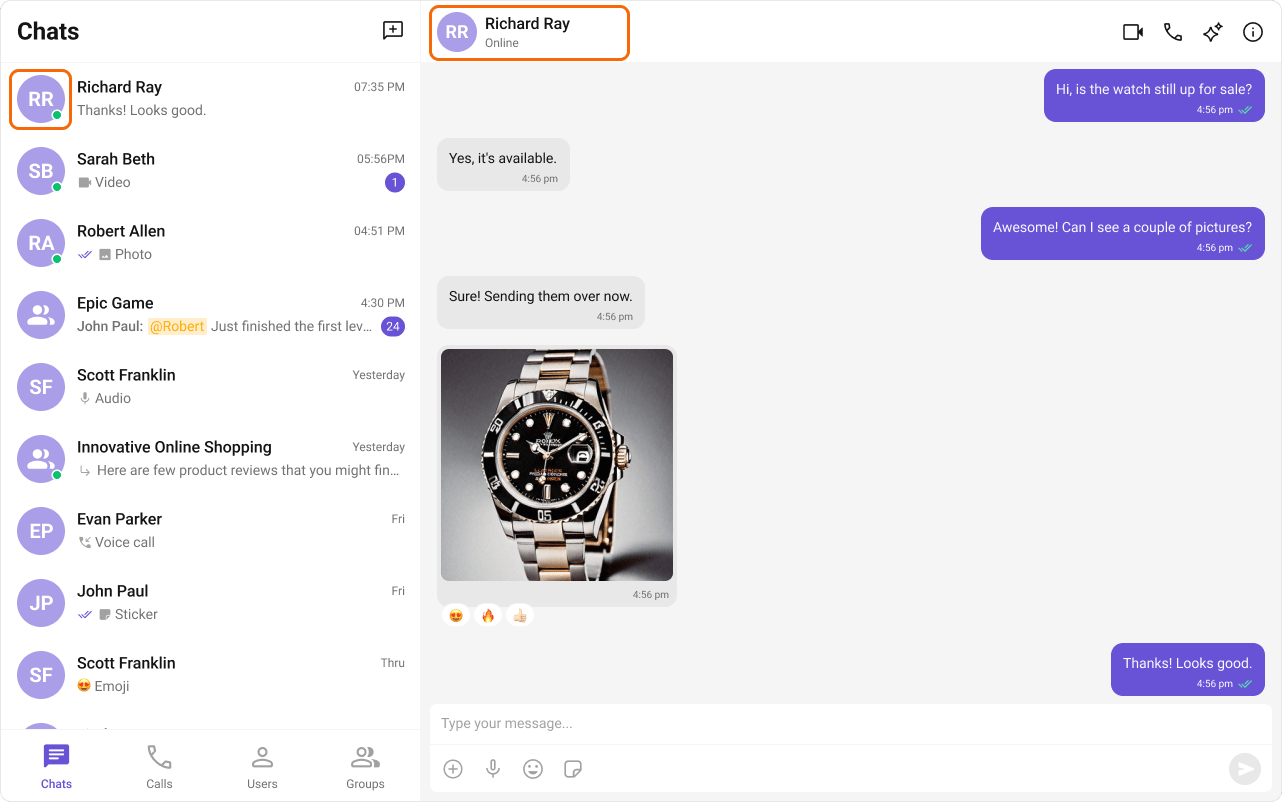
User Presence lets users see whether their contacts are online or offline, helping them choose the best time to start a conversation.
ComponentFunctionality
cometchat-conversationsDisplays user presence information alongside each conversation list item.
cometchat-message-headerShows the online/offline status of the user or group in the message header toolbar.
cometchat-usersRenders the list of available users with their current presence status.
cometchat-group-membersRenders group member lists with presence information for each member.

Reactions

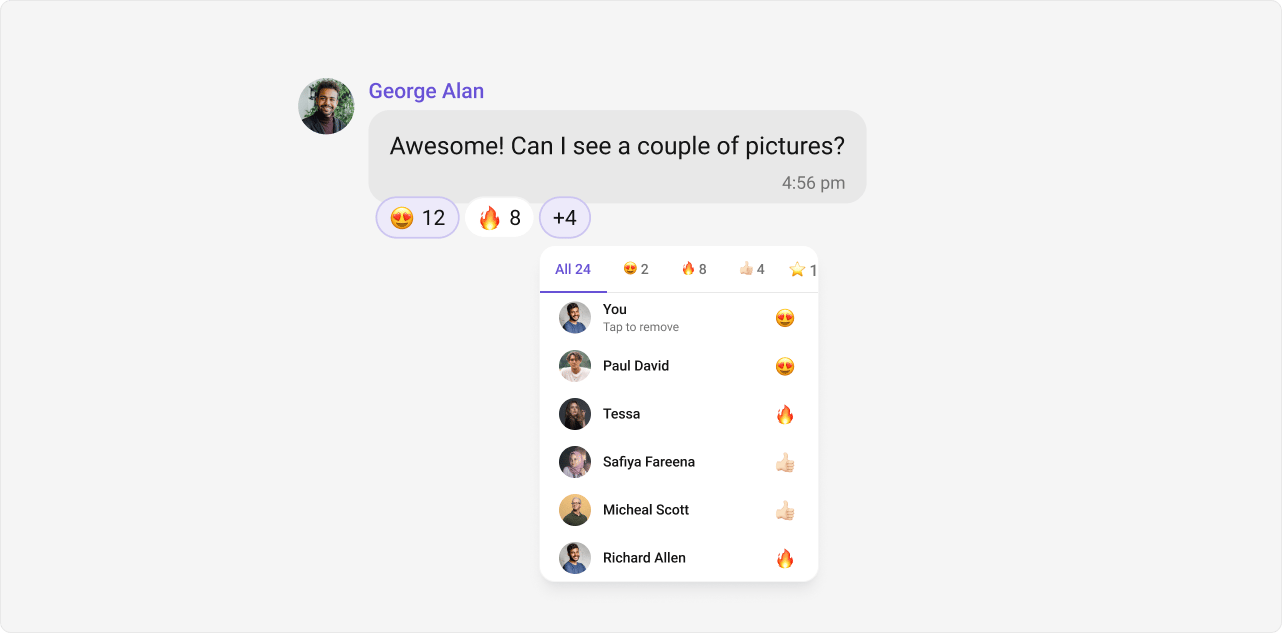
Reactions let users express emotions or respond to messages without typing a full reply, adding expressiveness and boosting engagement.
ComponentFunctionality
cometchat-message-listRenders reaction indicators on message bubbles and provides the reaction picker action.
cometchat-reactionsDisplays the reaction bar beneath a message bubble showing all reactions and their counts.
cometchat-reaction-listShows the full list of users who reacted to a message, grouped by reaction type.
cometchat-reaction-infoDisplays a tooltip or popover with details about a specific reaction on hover.

Mentions

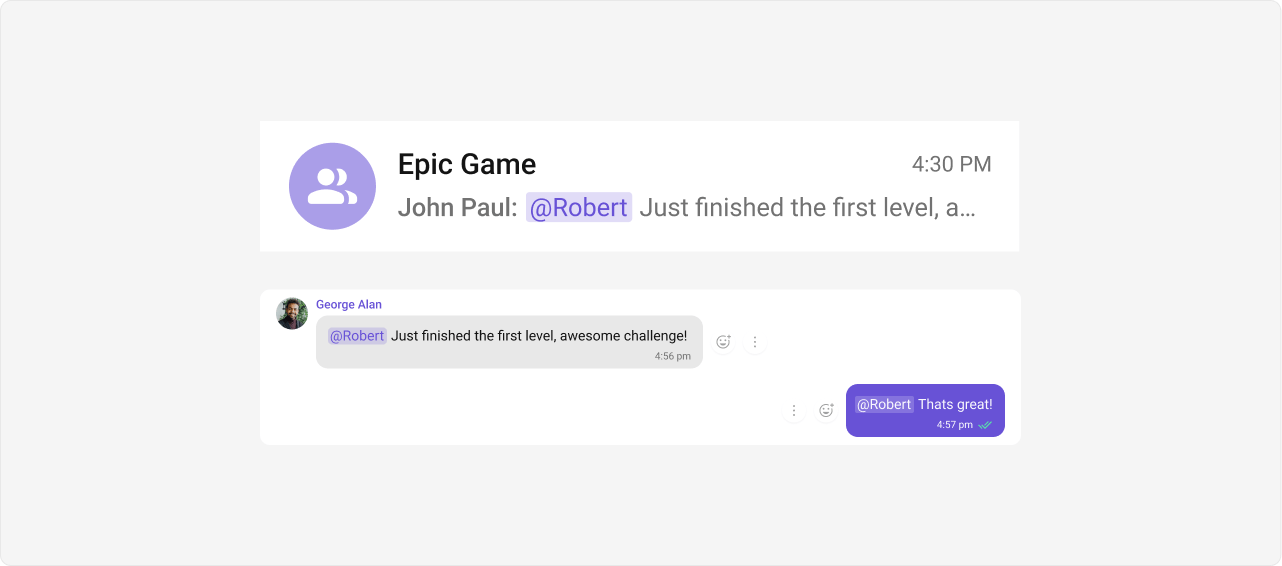
Mentions allow users to directly address specific individuals in a conversation using @username. The feature also supports @all to notify every member in a group chat simultaneously.
ComponentFunctionality
cometchat-conversationsShows mention indicators in conversation list items so users can see where they were mentioned.
cometchat-message-composerProvides the mention picker that appears as users type @, allowing them to select a user to mention.
cometchat-message-listRenders mention highlights within message text, making mentioned names visually distinct.

Threaded Conversations

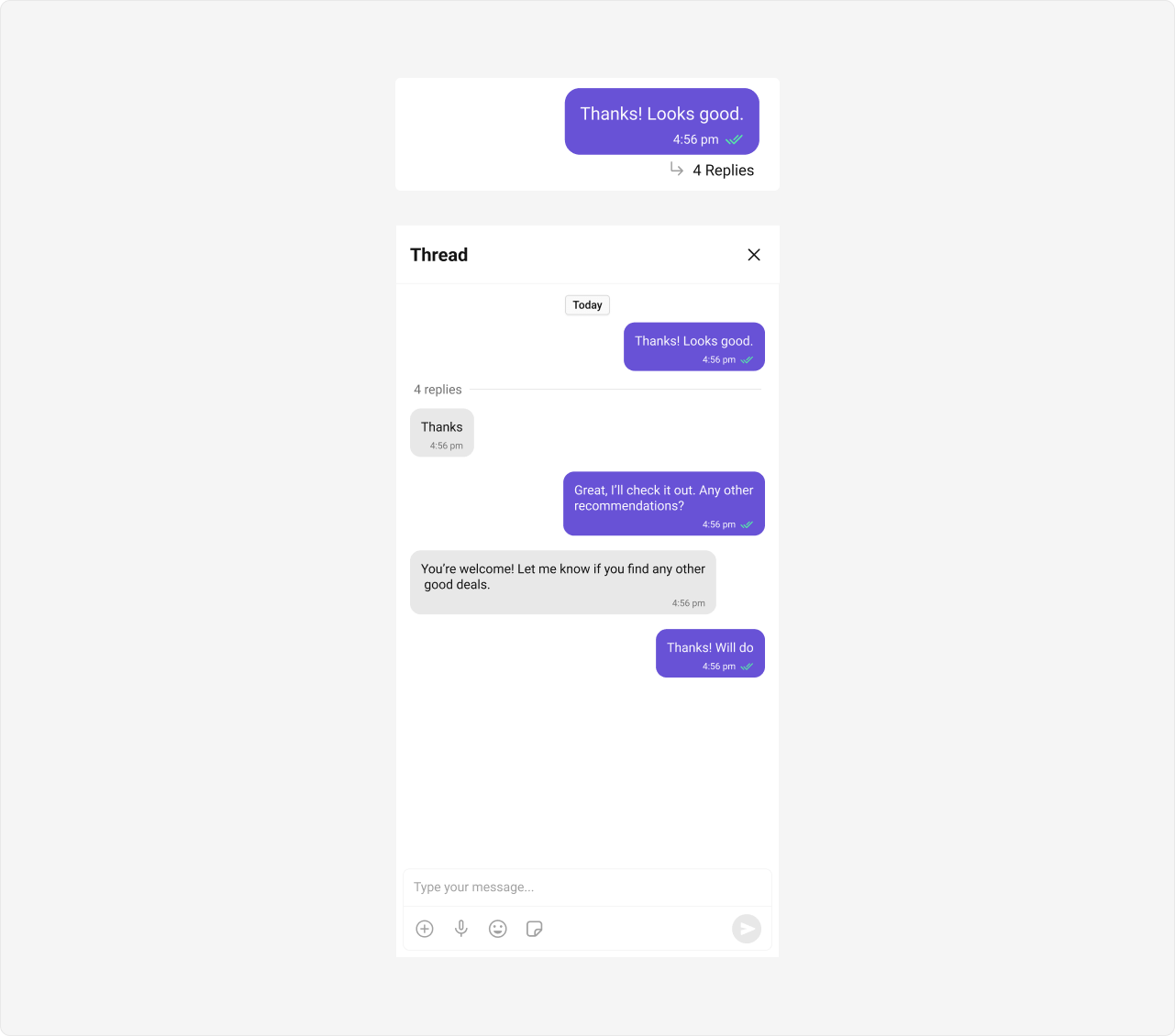
Threaded Conversations enable users to respond directly to a specific message, keeping discussions organized and maintaining context — especially useful in group chats.
ComponentFunctionality
cometchat-thread-headerDisplays the parent message along with the reply count at the top of a thread view.
cometchat-message-listRenders thread replies when parentMessageId is set.
cometchat-message-composerSends replies within a thread when parentMessageId is set.

Quoted Replies

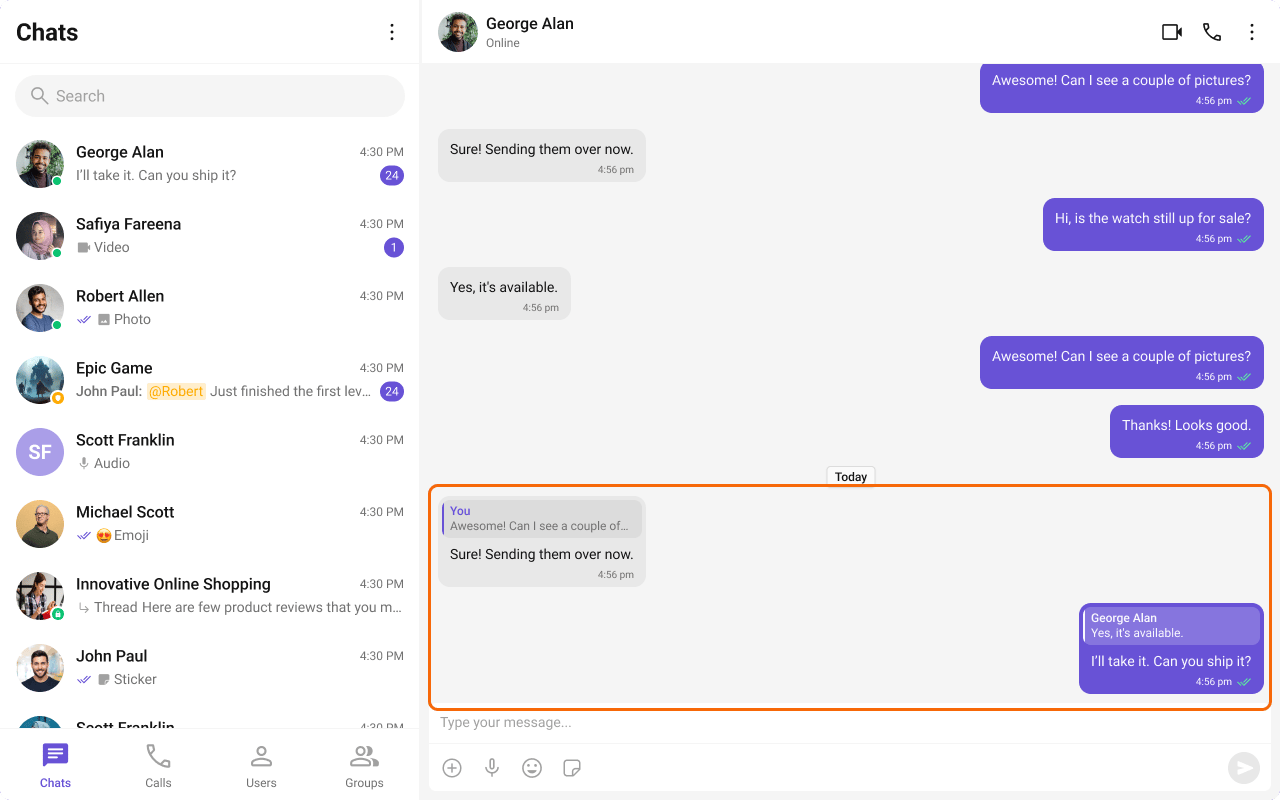
Quoted Replies enable users to quickly reply to specific messages by selecting the “Reply” option from a message’s action menu. This enhances context, keeps conversations organized, and improves overall chat experience in both one-on-one and group chats.
ComponentFunctionality
cometchat-message-listSupports replying to messages via the “Reply” option. Users can select “Reply” on a message to open the composer with the quoted reply pre-filled, maintaining context.
cometchat-message-composerShows the quoted reply above the input field, providing context for the response.

Rich Text Formatting

Rich Text Formatting allows users to style their messages with bold, italic, underline, strikethrough, code, links, lists, and blockquotes. This brings richer expression to conversations and helps users emphasize key points, making communication clearer and more engaging.
ComponentFunctionality
cometchat-message-composerProvides a built-in rich text editor with formatting toolbar, floating selection toolbar, and keyboard shortcuts for bold, italic, underline, strikethrough, code, links, lists, and blockquotes.
cometchat-message-listRenders formatted messages with the appropriate styling applied, displaying bold, italic, underline, strikethrough, code, links, lists, and blockquote formatting as intended by the sender.
See the Rich Text Formatting Guide for detailed usage instructions.

Group Chat

CometChat facilitates group conversations, allowing multiple participants to communicate simultaneously — ideal for team collaborations, group discussions, and social communities.
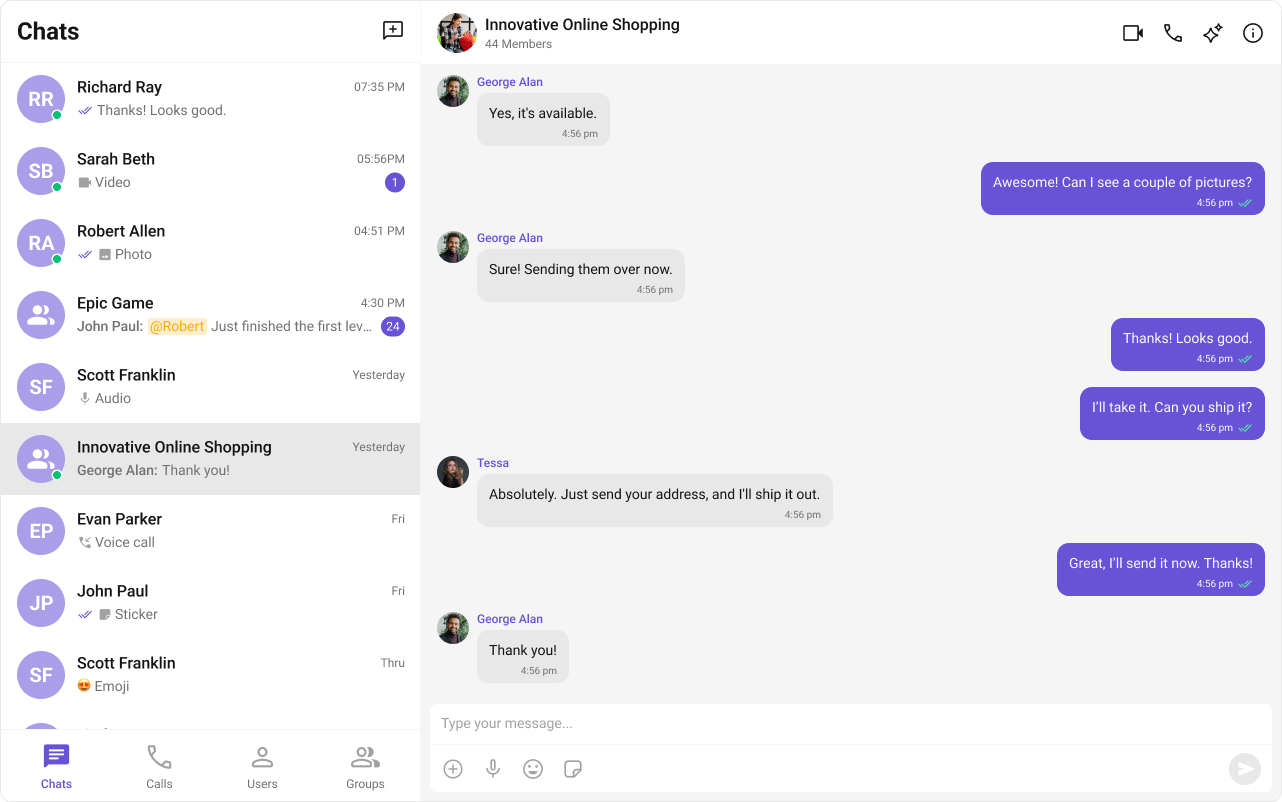
ComponentFunctionality
cometchat-groupsRenders the list of available groups with search, join, and create capabilities.
cometchat-group-membersDisplays the members of a group with roles, presence status, and management actions.

Moderation

CometChat’s Message Moderation feature helps maintain a safe and respectful chat environment by automatically filtering and managing inappropriate content. Messages can be automatically blocked or flagged based on predefined rules, ensuring harmful content is handled before it reaches users.
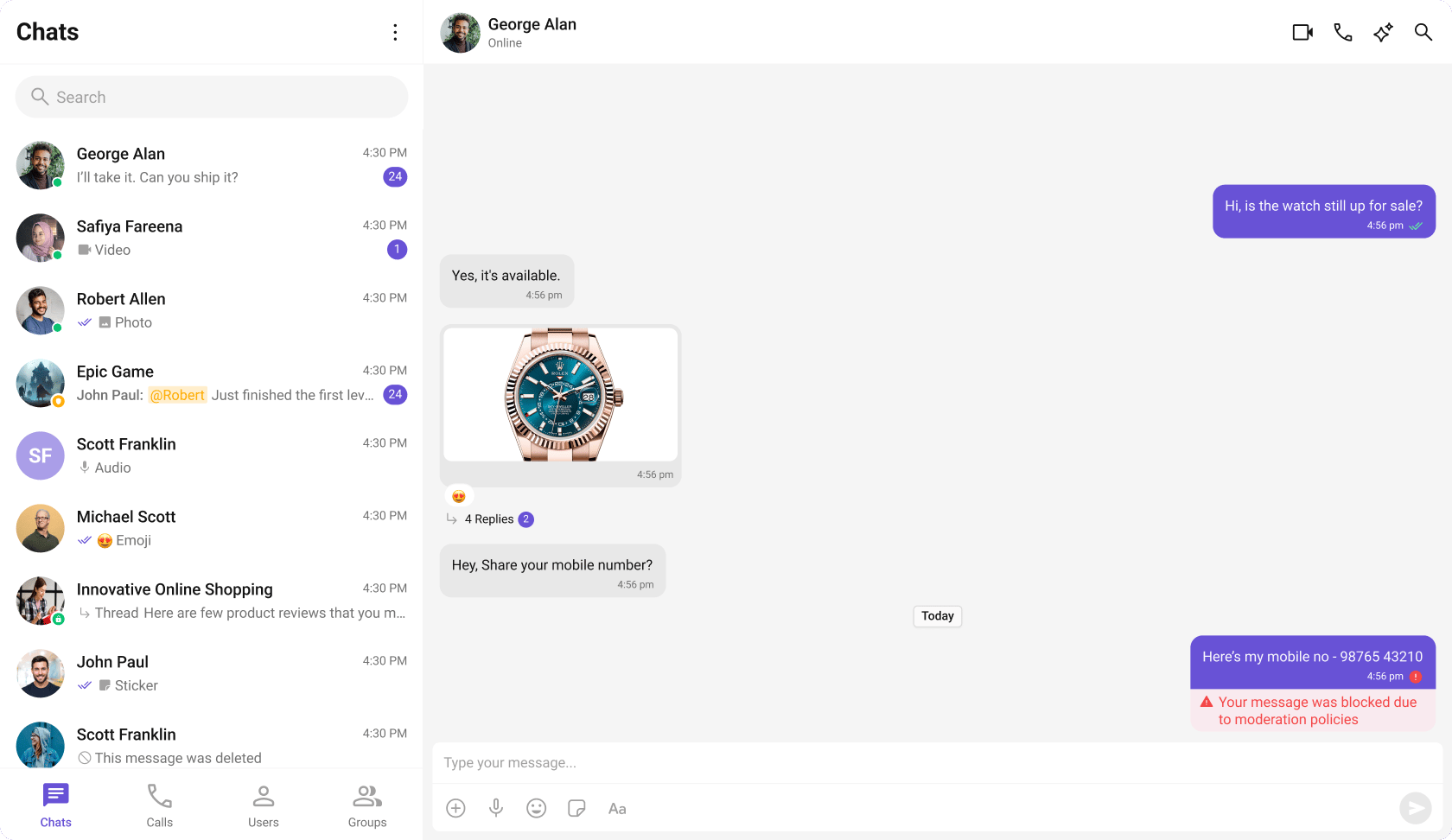
Learn more about setting up moderation rules and managing content in the Moderation documentation.
ComponentFunctionality
cometchat-message-listAutomatically handles moderated messages, displaying blocked content based on moderation settings.

Report Message

The Report Message feature allows users to report inappropriate or harmful messages within the chat. Users can choose from predefined reasons and provide additional remarks for detailed context. This feature helps maintain a safe and respectful chat environment.
Learn more about how flagged messages are handled, reviewed, and moderated in the Flagged Messages documentation.
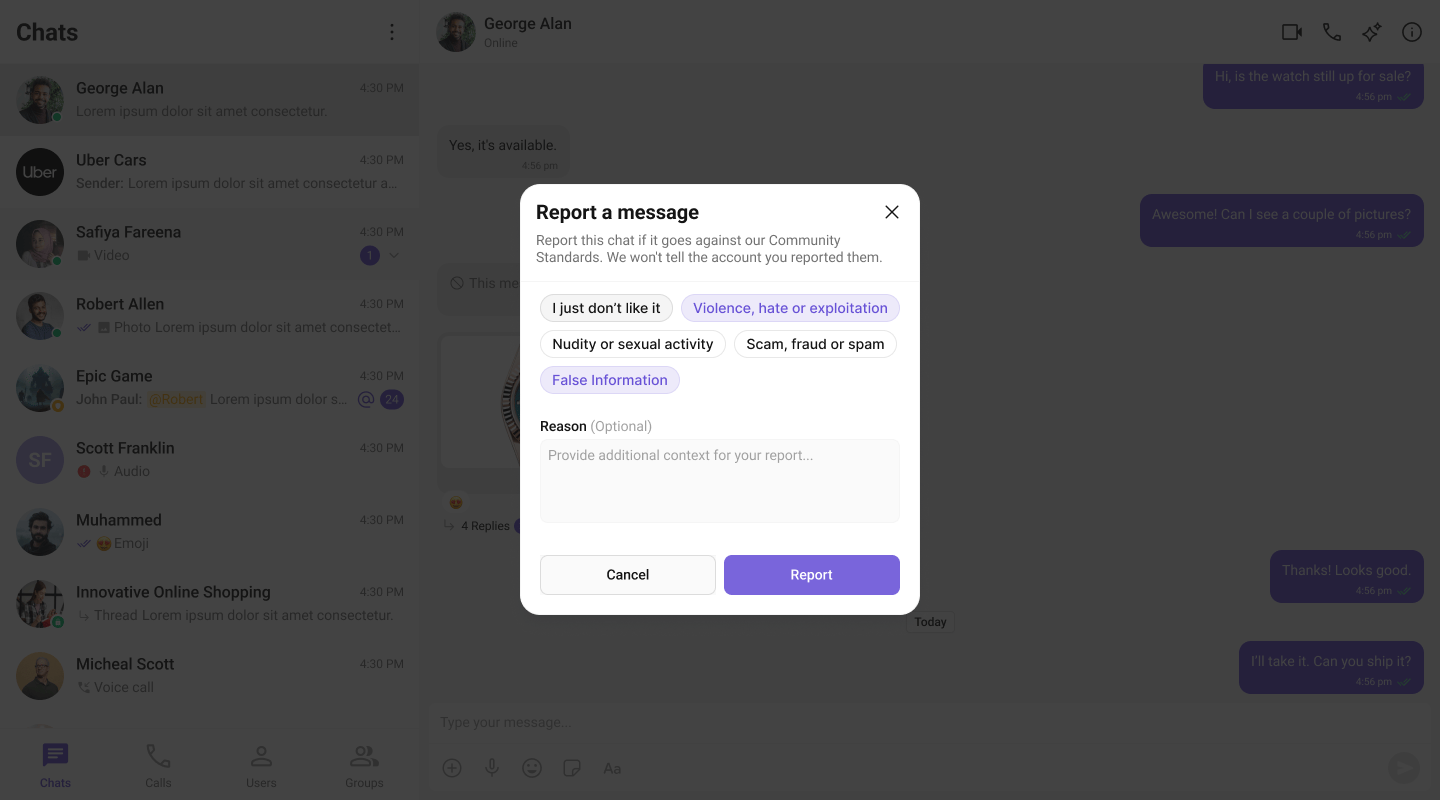
ComponentFunctionality
cometchat-message-listProvides the “Report Message” option in the message actions menu, allowing users to initiate the reporting process for inappropriate messages.
Conversation and Advanced Search enables users to quickly find conversations, messages, and media across chats in real time. It supports filters, scopes, and custom actions, allowing users to locate content efficiently while keeping the chat experience smooth and intuitive.
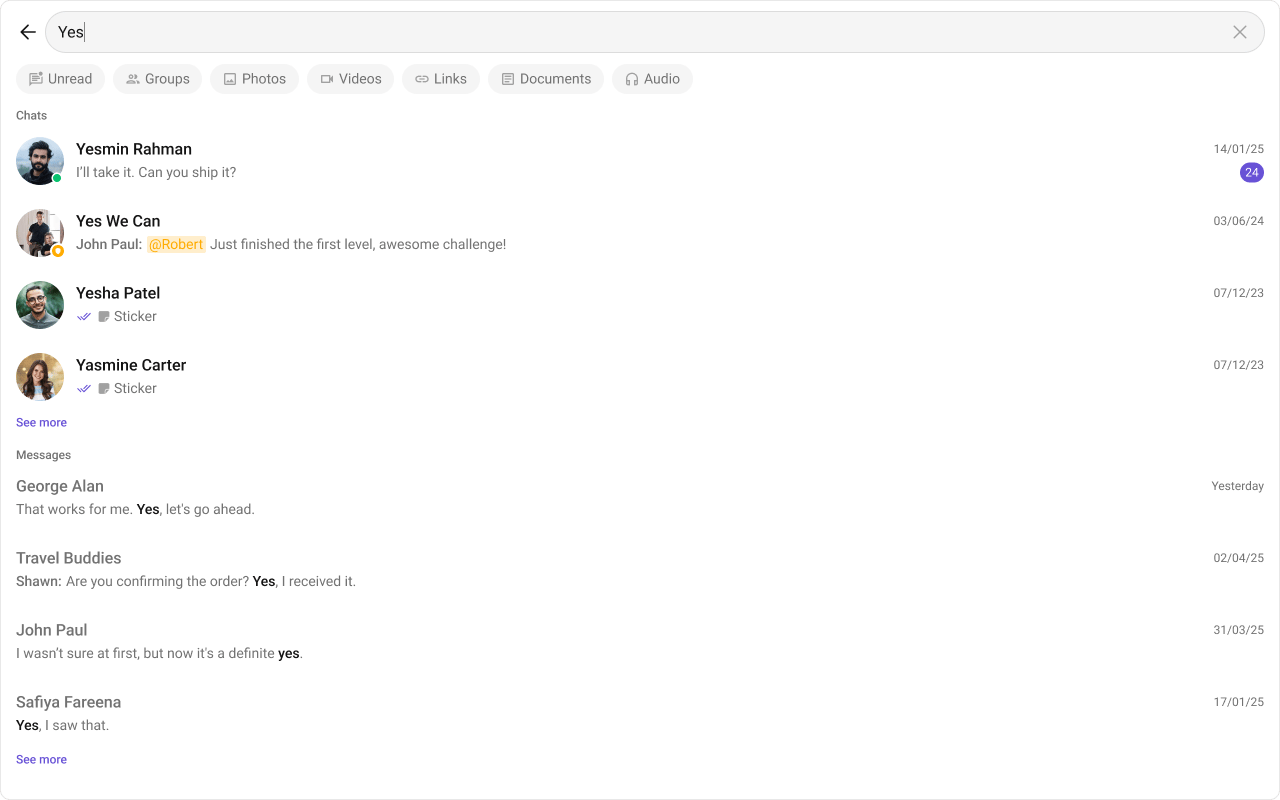
ComponentFunctionality
cometchat-searchAllows users to search across conversations and messages in real time. Users can click on a result to open the conversation or jump directly to a specific message.
cometchat-message-headerShows the search button in the chat header, allowing users to search within a conversation.
cometchat-message-listShows the selected message when clicked from search results and highlights it in the message list.
cometchat-conversationsDisplays the search input for filtering conversations.
See the Search Messages Guide for detailed implementation instructions.

Next Steps

Components Overview

Browse all available Angular UIKit components

Theme

Customize the look and feel of your chat UI

Call Features

Add audio and video calling

AI Smart Chat Features

Explore AI-powered chat capabilities